

Introduction: The Billing Trap You Didn't Sign Up For
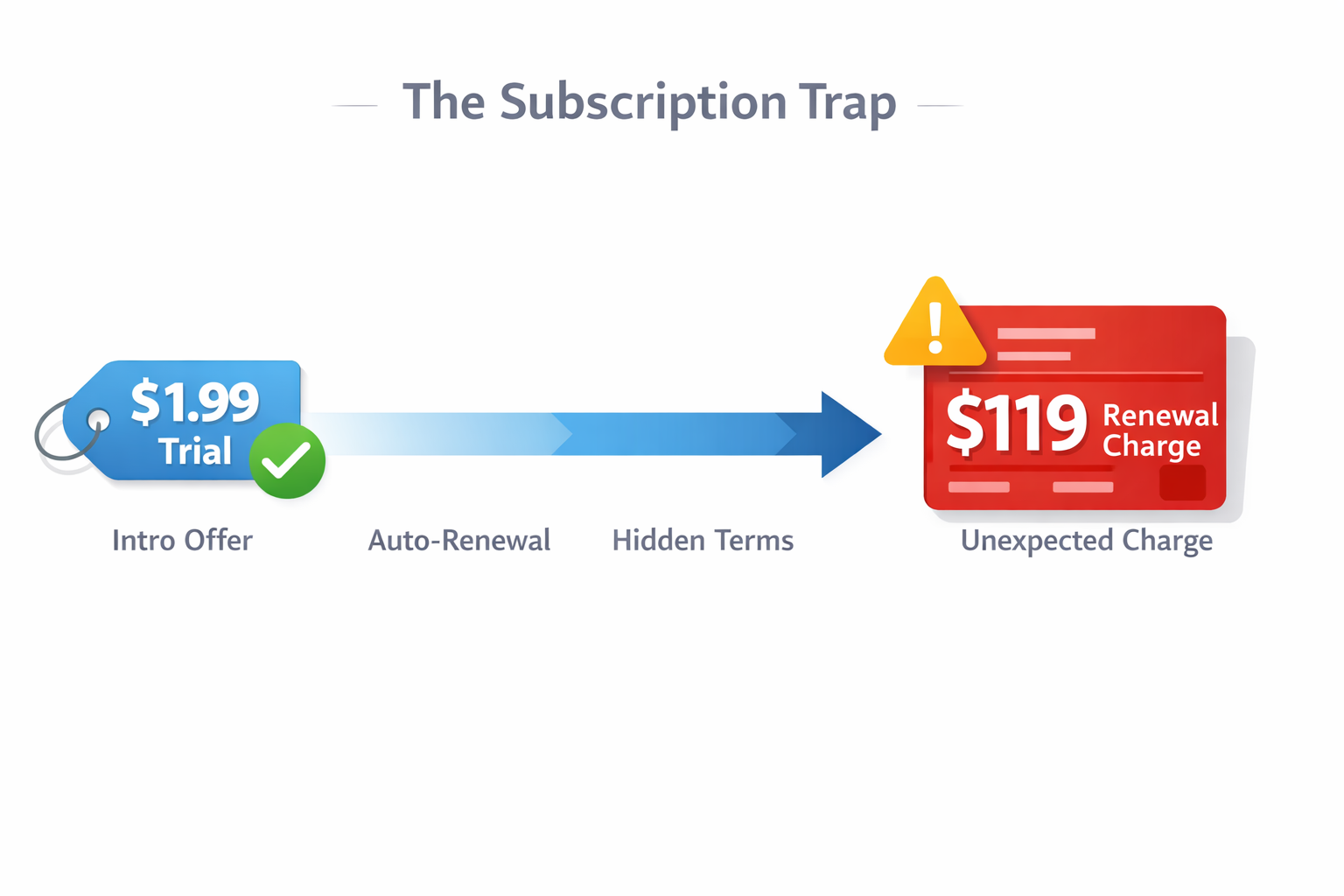
That $119 charge on your bank statement wasn't a mistake; it was a predictable outcome. If you are here, you likely fell for the classic "Total Adblock" bait-and-switch: a low introductory price that quietly auto-renewed at a massive markup. You aren't alone. In 2026, Total Adblock alternatives are surging in popularity not just because users want to block ads, but because they want to stop being billed for software that behaves like the very spyware it claims to fight.
Most "Top 10" lists are written by affiliates paid to sell you more bloated software. This guide is different. We act as a consumer watchdog, prioritizing technical compliance (specifically Google’s Manifest V3 architecture) and ethical billing.
You don’t need a refund loop. You need a transparent blocker that works.
Direct Answer: The Best Total Adblock Alternatives
What are the best alternatives to Total Adblock in 2026?
The most effective Total Adblock alternatives avoid the "bloatware" model by focusing on lightweight, platform-specific blocking:
- Blockify: Best for media streaming. Specifically engineered to bypass "stubborn" server-side ads on Spotify, Twitch, Hulu, and YouTube that general blockers miss.
- uBlock Origin Lite: Best for Chrome users. A free, open-source extension fully rebuilt to comply with Google's Manifest V3 strict privacy rules.
- NextDNS: Best for mobile & battery. Blocks ads at the network level (DNS) without draining the battery or occupying your phone's VPN slot.
- AdGuard (Standalone): Best for system-wide blocking. An installed app that filters ads in all programs (Skype, Discord, Games), not just the browser.
Why Users Are Mass-Uninstalling Total Adblock
The exodus from this software isn't just about performance; it's about deceptive patterns.
1. The "Zombie Charge" Model
Total Adblock operates on a "negative option billing" model. Renewal prices often exceed 500% of the teaser rate.
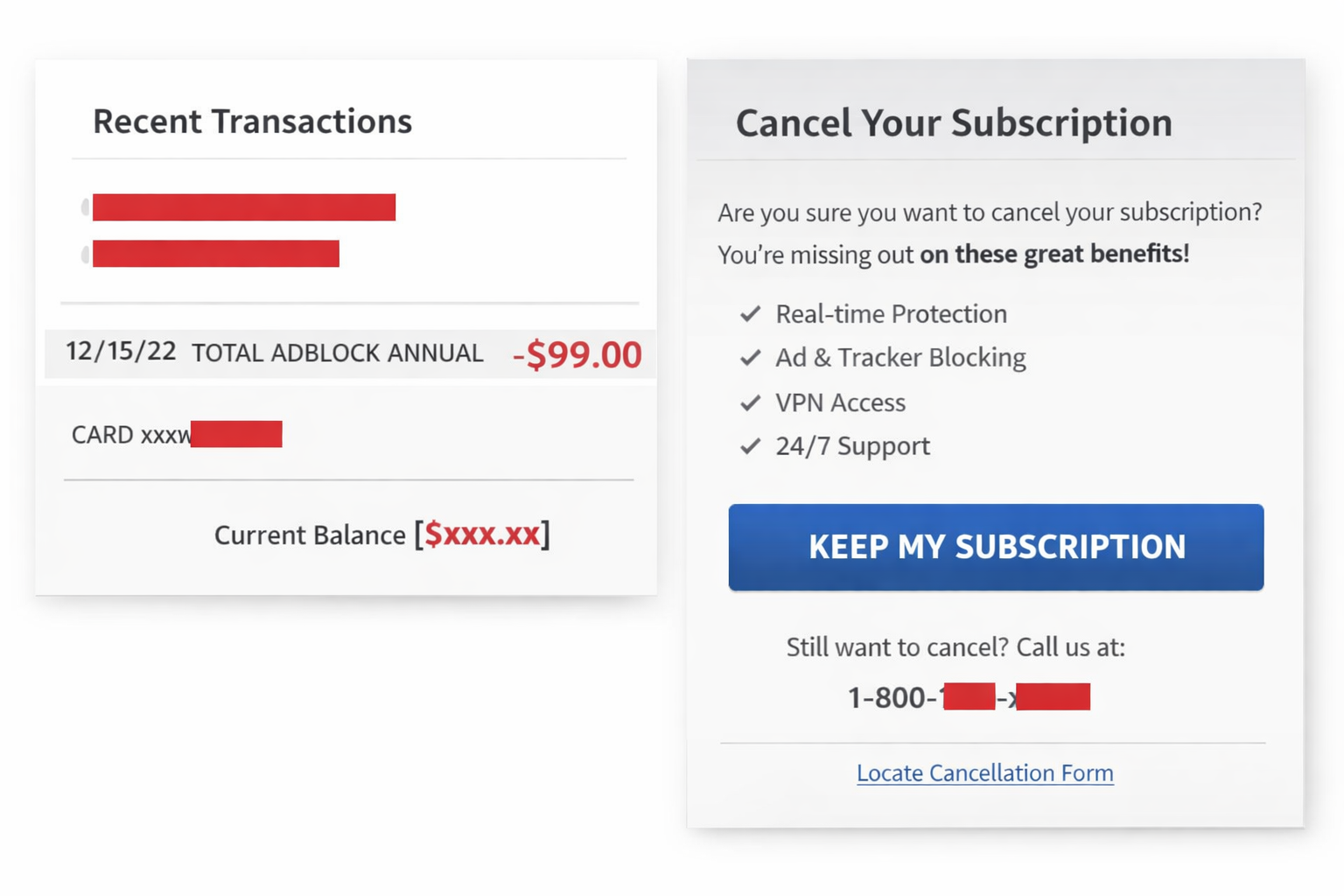
- The Trap: You sign up for a $1.99 promo. Buried in the Terms of Service is an agreement to auto-renew at $99+ annually.
- The Loop: Users consistently report that the "Cancel" button is obfuscated, often forcing customers to call a support line designed to upsell rather than refund.
2. The Bloatware Reality
Cybersecurity experts have historically criticized Total Adblock’s parent company (TotalAV) for aggressive marketing tactics.
- Resource Drain: Unlike lightweight extensions, Total Adblock often bundles antivirus processes that run in the background, consuming CPU and RAM.
- PUP Classification: Security vendors like Malwarebytes have previously flagged related software as PUPs (Potentially Unwanted Programs) due to scareware tactics—popups warning of "System Issues" that only their paid upgrade can fix.
The "Chrome Apocalypse": Why Old Blockers Are Breaking
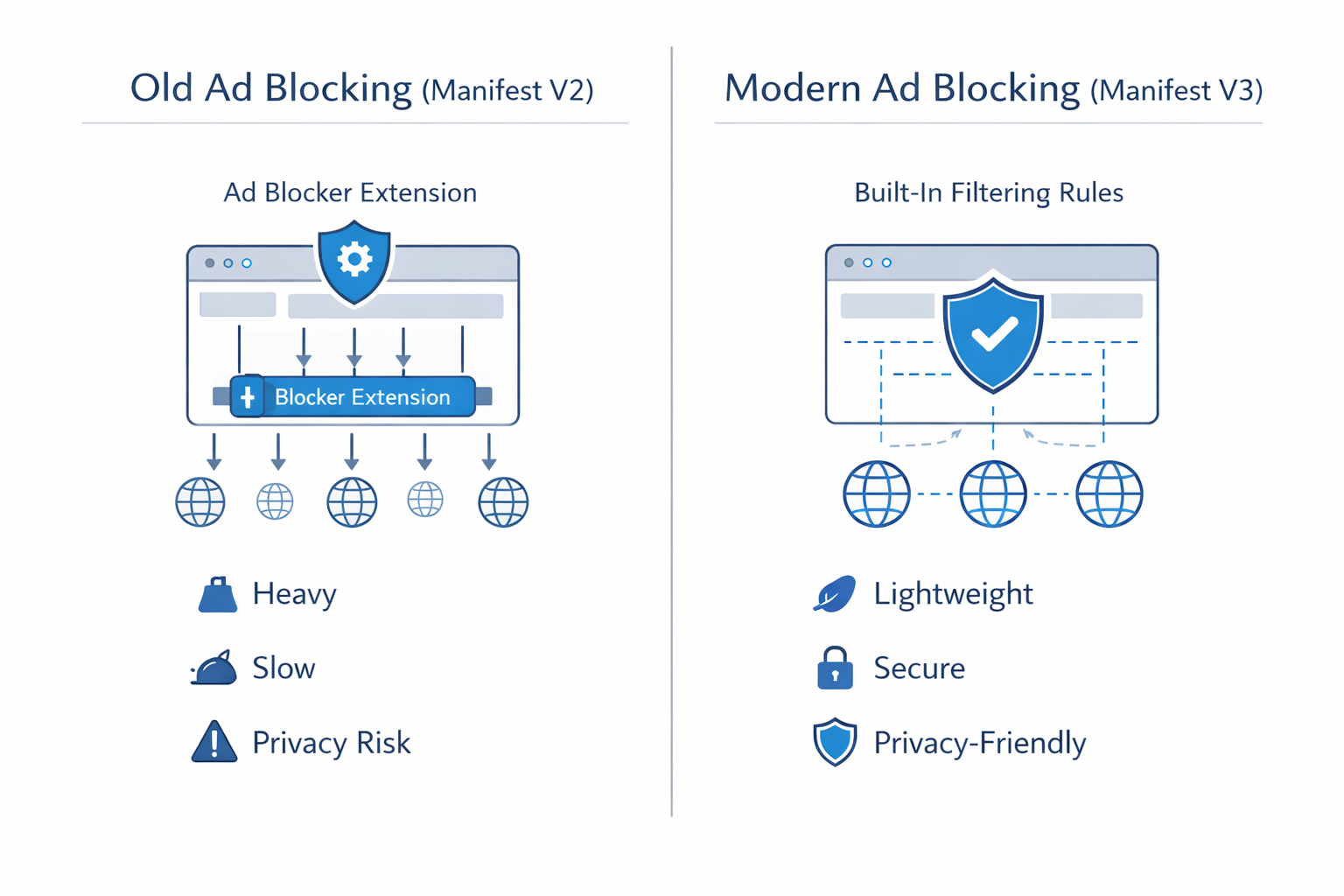
To choose the right Total Adblocker alternative, you must understand the technical shift of 2026: Manifest V3.
Google Chrome has enforced a new architecture that limits how extensions can interact with web pages.
- The Problem: Old extensions (Manifest V2) that relied on
webRequestAPI to intercept traffic are now disabled or severely crippled. - Total Adblock's Pivot: To bypass this, Total Adblock pushes users toward their proprietary "Total Browser" or heavy desktop applications.
The Solution: You do not need a new browser. You need an MV3-compliant extension or a DNS-based blocker.
Detailed Breakdown: The Top 3 Safe Havens
Stop looking for a "one size fits all" tool. The best blocker depends on your specific digital profile.
1. The Streaming Specialist: Blockify
Best For: Users who live on YouTube, Spotify, Hulu, and Twitch.
While general ad blockers handle static banners, they fail against "server-injected" ads—where the ad is stitched directly into the video or audio stream.
- The Tech Advantage: Blockify uses specialized scripts designed solely for media players. It can silence or skip ads on the Spotify Web Player and Twitch streams without triggering "Anti-Adblock" walls.
- Why Switch: Total Adblock is a sledgehammer; Blockify is a scalpel. It ensures your playlist flow is continuous.
- Cost: Completely free. No subscriptions, no auto-renewals, no hidden charges.
Verdict: If streaming ads — whether video or audio — are your biggest frustration, this is the tool you want.
2. The Chrome Loyalist: uBlock Origin Lite
Best For: "Set and forget" web browsing.
Important: Ensure you install uBlock Origin Lite (BOL), not the classic version, to ensure full Chrome compatibility.
- The Tech Advantage: It relies on Chrome’s native
declarativeNetRequestAPI. This means the browser does the heavy lifting, not the extension, resulting in virtually zero CPU usage. - The "Trust" Factor: It is Open Source. There is no corporate board, no upsells, and no hidden billing engine.
- Performance: In benchmark tests, uBlock Origin Lite loads pages up to 2x faster than browsers running heavy security suites like Total Adblock.
3. The Mobile Guardian: NextDNS
Best For: Android/iOS users concerned with battery life.
- The "VPN Slot" Conflict: The Total Adblock mobile app often uses a local VPN profile to filter traffic. Android only allows one VPN at a time. Using Total Adblock means you cannot use a privacy VPN (like NordVPN or Proton).
- The Fix: NextDNS blocks ads at the DNS level.
- Zero Battery Drain: Because the blocking happens on the server (before the data reaches your phone), your phone uses less data and less battery.
Comparison: Total Adblock vs. The Honest Alternatives
| Feature | Total Adblock | Blockify | uBlock Origin Lite | NextDNS |
|---|---|---|---|---|
| Real Cost | $$$ (Hidden Renewals) | Free | Free (Open Source) | Free (Tiered) |
| Blocks Spotify Audio? | No | Yes | No | No |
| Manifest V3 Ready? | Pushes proprietary App | Yes | Yes | N/A (DNS) |
| Hogs VPN Slot? | Yes (Mobile) | No | No | No |
| Upsells? | High (Antivirus) | None | None | None |
| Cancellation | Difficult | N/A | N/A | Transparent |
How to Cancel Total Adblock (And Actually Stop the Charges)
Uninstalling the Total Adblock Chrome extension removes the icon, but it does not cancel your billing agreement. Follow this "triage" process immediately:
- Bypass Email Support: Support tickets are often delayed intentionally to push you past the refund window.
- The "PayPal" Kill Switch:
- Log into PayPal > Settings > Payments > Automatic Payments.
- Locate "Total Security," "TotalAV," or "Protected.net" and cancel the Billing Agreement. This is the only way to ensure they cannot charge you again.
- Credit Card Dispute: If the "Cancel" button on their site leads to an error or a phone number, call your bank. Request a "Stop Payment" and cite "Deceptive Billing Practices" if a charge has already gone through.
FAQs
Is Total Adblock a virus?
Technically, no. However, it is frequently categorized as "grayware" or a PUP (Potentially Unwanted Program) because of its aggressive monetization, difficult uninstallation process, and tendency to exaggerate security threats to sell upgrades.
Does uBlock Origin still work in 2026?
The classic uBlock Origin is being phased out on Chrome due to Manifest V3. You must switch to uBlock Origin Lite for continued support on Chrome, or switch to the Firefox browser to use the classic version.
What is the best free alternative to Total Adblock?
For general web browsing, uBlock Origin Lite is the superior free choice. For blocking ads on streaming services like Spotify, Blockify provides the best free tier functionality.
Conclusion: Reclaim Your Browser
Paying for Total Adblock alternatives in 2026 is largely unnecessary. The "all-in-one" promise of Total Adblock has morphed into an "all-in-one" bill for features that slow down your computer.
- For Media: Get Blockify.
- For Chrome: Get uBlock Origin Lite.
- For Mobile: Set up NextDNS.
Stop the recurring charges. Uninstall the bloatware. Choose a transparent solution today.



Join the Discussion