

You hit Play on Hulu and the player hangs.
You open 25 tabs and your laptop sounds like a mixer.
ABP “blocks” some ads… and still manages to wreck your experience.
If you’re here, you’re not just curious about ad blockers. You’re actively looking for Top Adblock Plus alternatives that actually solve three things:
- Intrusive ads
- Sluggish, overloaded browsers
- Streaming ads on Spotify, Hulu, Twitch, YouTube
This guide gives you a short list of the best Adblock Plus alternatives, plus something most lists skip: how to combine them into a simple, reliable ABP exit stack.
Your browser. Your rules.
What Are the Best Adblock Plus Alternatives Right Now?
The Top 5 ABP alternatives in 2025 are uBlock Origin, AdGuard, AdBlock, Ghostery, and Blockify. uBlock Origin is a lightweight power-user replacement, AdGuard is best for system-wide blocking, AdBlock is simple for beginners, Ghostery focuses on privacy, and Blockify targets streaming ads on Spotify, Hulu, YouTube, and Twitch.
In one line each:
- uBlock Origin: Strict, efficient, open-source, and highly configurable. Great default ABP replacement.
- AdGuard: Suite of apps, extensions, and DNS for browsers, apps, and sometimes your whole network.
- AdBlock: Familiar, ABP-style extension that’s easy for non-technical users.
- Ghostery: Tracker-killer with solid cosmetic blocking and a privacy-first mindset.
- Blockify: Works on all sites, including streaming/audio/video ads on platforms like Spotify, Hulu, YouTube, and Twitch.
Why So Many “Top ABP Extension Alternatives” Feel the Same?
You’ve probably done this: uninstall ABP, install “best adblock plus alternative,” reload… and nothing feels different.
That’s not you being picky. A lot of “alternatives” are basically ABP with a new logo.
The Sidegrade Pattern
Typical ABP → “alternative” story:
- You still see some “non-intrusive” ads
- Your browser still chokes with heavy tab usage
- Hulu, Twitch, and some news sites still behave badly
You’ve changed the packaging, not the behavior. That’s a sidegrade.
The Sidegrade Detector (3 Quick Red Flags)
Before trusting any “Top ABP extension alternative,” run this 3-step sniff test:
- Same ecosystem as ABP If it shares the same parent company or whitelisting program, expect similar compromises.
- No real performance gain If your browser feels just as heavy as it did with ABP, you didn’t upgrade. (further reading)
“Acceptable” or “non-intrusive” ads are allowed by default That usually means someone is paying to stay unblocked.
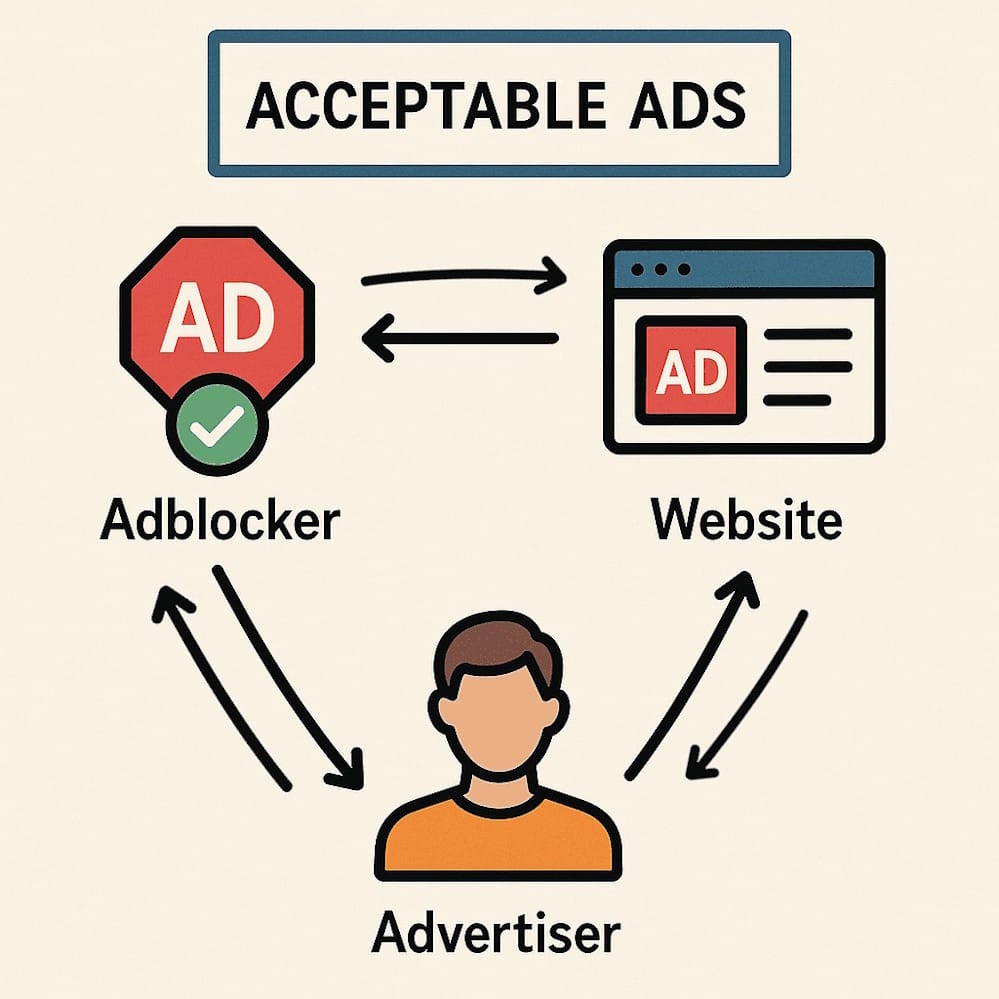
Hit two or more of those? That extension’s not worth rebuilding your setup around.
What a Real Upgrade From ABP Looks Like
A real ABP alternative:
- Blocks all ads by default (no quiet pay-to-play whitelist)
- Uses fewer resources under load
- Also works on content platforms like Twitch, Hulu, YT, and Spotify
That’s why most serious setups look like: uBlock Origin as the base → Blockify for streaming → Ghostery for tracking.
If your “alternative” still ships with Acceptable Ads, eats RAM, and can’t handle streaming, it’s not an upgrade - it’s ABP with a costume.
How the Top 5 ABP Alternatives Actually Behave

uBlock Origin: The Strict Upgrade
- Significantly leaner than ABP for many users under heavy tab loads. (source)
- Strong defaults: install, refresh, done
- Power options if you like tweaking filter lists and advanced rules
Chrome has uBlock Origin Lite (because of extension MV3 changes); Firefox, Brave, and Vivaldi can still run the full version.
AdGuard: System-Wide Bodyguard
- Browser extensions for quick blocking
- Desktop apps that filter traffic at OS level
- DNS options for network-wide filtering
Good when you want one system protecting multiple browsers and apps, or an easy way to add parental controls. Heavier than a single extension, but it covers more ground.

AdBlock: Familiar but Close to ABP
- Simple controls and an interface ABP users recognize
- Massive user base and tons of tutorials
- Still tied to an Acceptable Ads-style mindset and not a huge performance upgrade in practice
If you just want something “less ABP-ish” but similar, this is fine. If you want a strict, lean blocker, this probably isn’t your endgame.
Ghostery: Privacy Radar
- Focuses on tracking and analytics scripts
- Shows you who is trying to follow you across sites
- Modern engine designed to handle tracker blocking efficiently
Consider stacking Ghostery on top of uBlock Origin: one cleans up the page, the other cuts down on surveillance.

Blockify: Streaming Hammer
- Targets streaming platforms: Spotify web, Hulu, Twitch, YouTube, etc.
- Uses dual logic: block ads where possible, mute + fast-forward where it can’t
- Blocks all kinds/types of ads across the web
If streaming or content consumption is a big part of your day, this is less of a “nice add-on” and more of a “why didn’t I use this earlier” kind of tool.
Streaming Reality Check: Spotify, Hulu, Twitch & YouTube
Blocking banners is easy. Streaming is where things really break.
Why Streaming Is Harder Than Hiding Banners
Platforms like Hulu and Twitch don’t just show an ad. They:
- Expect an ad segment
- Tie it to playback logic
- Throw a tantrum if that segment disappears magically
So ABP may block the ad… but you stare at a frozen player.
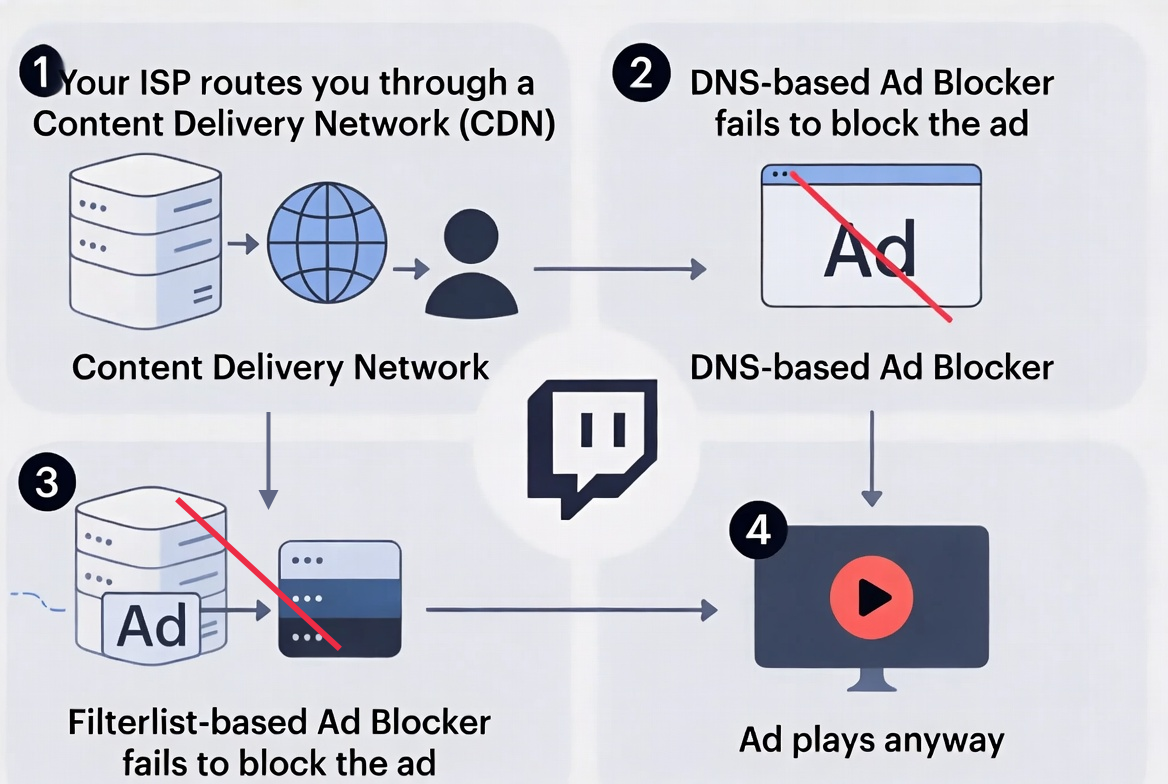
How the Main ABP Alternatives Handle Streaming
Very simplified snapshot:
- ABP: Can hide some streaming ads (like YouTube), but may often break during playback.
- uBlock Origin: With custom filters, can help, but it’s a moving target and not beginner-friendly.
- AdGuard (desktop/DNS): Better for apps and smart TVs, especially when filtering at the DNS or OS level. Not ideal for streaming ads.
- Ghostery: Reduces trackers and some ad calls, but isn’t streaming-focused.
- Blockify: Nails down the use-case: detects video/audio ad segments, then blocks them instantly.
Build an Ad-Blocking Stack (Instead of Hunting One Magic Extension)
Here’s the mindset shift most Top ABP extension alternatives never mention: Stop trying to make one tool solve everything.
The Four-Layer Ad-Blocking Stack
You don’t necessarily need all four from day one, but you should at least know what they are.
- Layer 1: Core Ad Blocker
- Tool: uBlock Origin Lite
- Job: remove visible ads, popups, overlays, cookie walls
- Layer 2: Privacy & Tracker Shield
- Tools: Ghostery, Privacy Badger, URL cleaners
- Job: block trackers, cut fingerprinting, strip tracking parameters
- Layer 3: Network / DNS Filter
- Tools: NextDNS, AdGuard DNS, Pi-hole
- Job: block ad/tracker domains for every device using that connection
- Layer 4: Streaming Specialist
- Tools: Blockify, SponsorBlock
- Job: deal with in-stream video/audio ads that regular blockers struggle with
Key takeaway: Think stack, not single plug-in: browser blocker + privacy shield + optional DNS layer + streaming specialist.
Which Stack Should You Use? (Quick Recipes)
Let’s turn that stack idea into quick, copy-paste setups.
1. Low-Spec or Older Laptop
If your laptop fans spin with just a few tabs:
- uBlock Origin (or uBlock Origin Lite on Chrome)
- Optional: Ghostery with conservative settings
Reason: uBO is built to be efficient and handle large filter lists better than ABP on many setups. Ghostery adds privacy without crushing performance if you don’t over-tune it.
2. Privacy-First and Security-Conscious
If your main concern is “who’s tracking me?” more than “I hate banners”:
- uBlock Origin for page-level blocking
- Ghostery or Privacy Badger for trackers
- NextDNS or AdGuard DNS for network-level filtering
You’re cutting off ads and trackers in the browser and at the DNS level.
3. Streaming-Heavy (Spotify, Hulu, Twitch, YouTube)
If your day is content + music + streams:
- uBlock Origin (Lite)
- Blockify for streaming ads
- Optional: DNS layer to deal with tracking and telemetry
You handle generic web ads with the base blocker and offload streaming frustration to Blockify.
4. Families, Shared Devices, and Kids
If you’re managing more than just your own laptop:
- AdGuard desktop/app
- NextDNS or AdGuard DNS with parental controls
You get category-based blocking (adult content, gambling, malware) and protection across smart TVs, tablets, phones, and laptops.
5. “I Just Want a Better ABP Extension”
If you don’t want to think about stacks yet:
- Uninstall Adblock Plus
- Install Blockify
That alone usually feels like going from “meh” to “finally.”
How to Switch Safely From Adblock Plus to Your New Stack
You don’t need a weekend project to move off ABP. Do it in four short steps.
Step 1: Audit What You Already Have
- Open your browser’s extensions page
- List anything related to ads, privacy, or “optimizing” pages
- Note your main issues: slow pages, creepy tracking, broken streaming
Step 2: Choose Your Stack
Pick one of the five recipes above (low-spec, privacy, streaming, family, or simple ABP replacement). Don’t try to build a monster stack on day one.
Step 3: Install Your New Tools (Then Remove ABP)
In this order:
- Set up DNS filtering (NextDNS / AdGuard DNS), if you’re using it
- Install uBlock Origin (Lite)
- Add Ghostery/Privacy Badger if privacy is a priority
- Install Blockify if streaming or content consumption is a priority
- Disable and uninstall Adblock Plus
Step 4: Stress-Test Your Daily Use
- Visit your usual news, blogs, social sites
- Use your normal streaming services for a bit
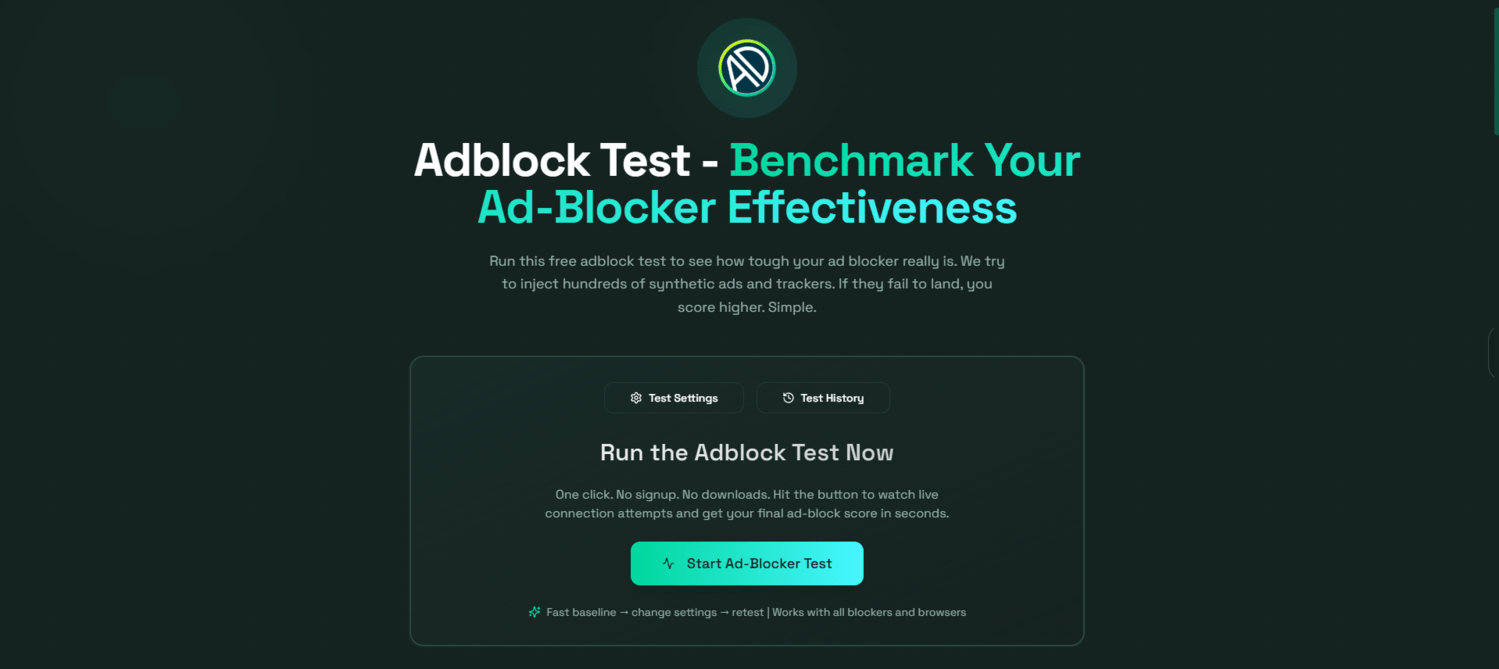
Run an ad-block test:
https://adblock-test.getblockify.com/
If something breaks:
- Whitelist specific sites you want to support
- Check for overlapping extensions doing the same job
- Dial back one layer at a time until things stabilize
FAQs About Top Adblock Plus (ABP) Alternatives
Is uBlock Origin better than Adblock Plus?
For most users, yes. uBlock Origin is stricter by default, offers more control, is open-source, and is engineered to be more efficient than ABP in many real-world setups. (source)
What is the best Adblock Plus alternative for streaming services?
Use a combo: uBlock Origin lite for general browsing, plus Blockify for Spotify, Hulu, Twitch, and similar platforms. That pairing handles both “regular” ads and tough in-stream video/audio ads.
Are AdGuard or DNS-level blockers better than browser extensions?
They do different jobs. Browser extensions clean the page inside that browser. DNS-level blockers like NextDNS or AdGuard DNS protect every app and device using that connection. For many people, the sweet spot is using both. Note: DNS-based ad-blocking is quite basic and fails to block advanced ad formats (like audio/video/live content)
Is it legal to block ads on websites and streaming platforms?
In most countries, using ad blockers on your own devices is 100% allowed and legal, though platform terms vary and can change.
What is the simplest ABP extension alternative for non-technical users?
The easiest move is: uninstall ABP, install Blockify, and keep the default settings. That’s usually enough for a noticeable upgrade without touching advanced options.
You already know intrusive ads don’t deserve your attention.
Now you’ve got a clear path, and the best ABP extension alternatives to take that attention back!



Join the Discussion