

Stands Fair AdBlocker isn't just glitching; it is obsolete. If you are reading this, you are likely a victim of the "infinite refresh loop" on YouTube or unblocked audio ads on Spotify.
You didn't break your browser. The rules of the internet changed, and Stands didn't keep up.
To fix the leaks and stop the crashes, you don't need a reinstall—you need a replacement. Below, we break down the best Stands AdBlocker alternatives based on whether you need seamless streaming, absolute privacy, or a lightweight Chrome experience.
Quick Answer: The Top 3 Stands AdBlocker Alternatives (2026)
What are the best alternatives to Stands AdBlocker?
The best alternative depends on your specific frustration with Stands:
- Best for Media & Streaming (Blockify): The superior choice if you need to stop YouTube refresh loops and block Spotify audio ads without breaking the player.
- Best for Hardcore Privacy (uBlock Origin on Firefox): The only way to get "pre-2024" blocking power is to switch browsers to Firefox, which still supports full scriptlet injection.
- Best for Chrome Loyalists (uBlock Origin Lite): A "set it and forget it" option that is fully compliant with Chrome's new MV3 rules, ensuring stability over aggression.
The "Refresh Loop" Diagnosis: Why Stands Fair AdBlocker Fails
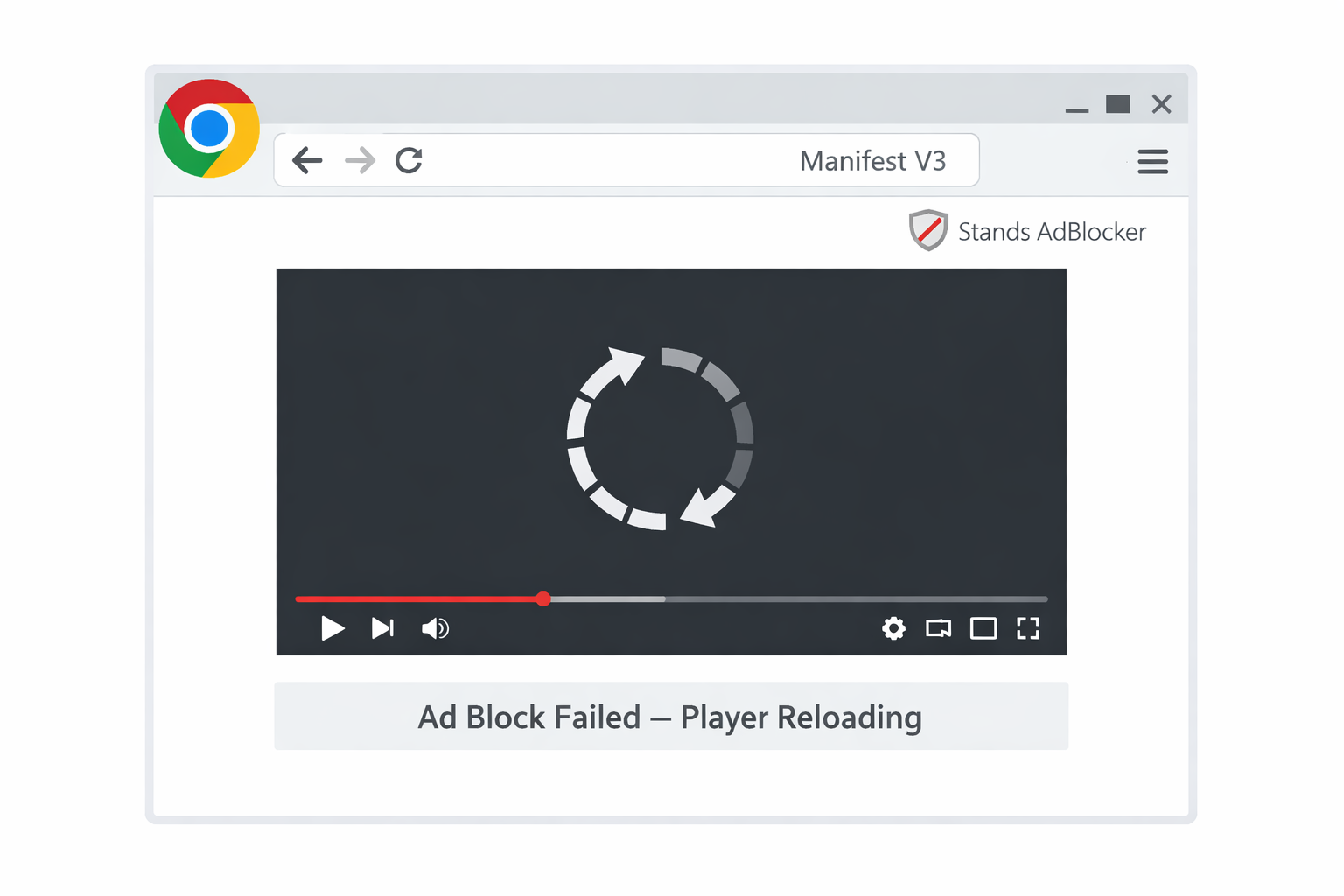
Bottom Line Up Front: The infinite reloading you see on YouTube is a structural failure of the Stands engine under Google Chrome’s Manifest V3 (MV3) architecture.
Stands has been handcuffed. Previously, blockers acted like live security guards (using the webRequest API). Now, Chrome has replaced the guard with a static rulebook (declarativeNetRequest). If a new ad format isn't in the book before the page loads, Stands cannot stop it.
The "Zombie" Effect
When Stands attempts to block a modern YouTube ad using old methods, the browser panics. The video player crashes, reloads to try again, and the cycle repeats. You are left with a broken page because your ad blocker is fighting a war it is no longer allowed to win.
The Privacy Reality Check: Score 80/100
Stands markets itself as a "Fair AdBlocker," but recent performance benchmarks suggest a pivot from user protection to "Ad-Tolerance."
We ran the extension through the standard AdBlock Tester suite. The results contradict the privacy marketing:
- Score: 80/100
- The Leaks: While visual banners are hidden, invisible trackers from Sentry, Hotjar, and Google Analytics frequently slip through.
The Missing Slider
Long-term users will remember the granular "Fair Ads" slider. In recent updates, this control has largely vanished, effectively turning the "donation" feature into a forced whitelist similar to AdBlock Plus. If you value data sovereignty over simple cosmetic fixes, you need a tool that scores closer to 100/100.
3 Best Alternatives to Stands AdBlocker (Detailed Breakdown)
We aren't giving you a generic "Top 10" list. You need a specific tool to solve a specific problem. Choose the architecture that fits your usage.
1. The Media Specialist: Blockify (Best for YouTube & Spotify)
User Archetype: The streamer leaving Stands specifically because of YouTube loops, Twitch pre-rolls, or Spotify audio interruptions.
The Pitch: Standard ad blockers treat video ads like static images—they try to hide them. Blockify is a specialized engine designed to handle complex, stream-based ad injections.
Why it wins:
- Audio/Video Dominance: Stands often struggles with "server-side injection" (where the ad is stitched into the video stream). Blockify detects these streams and acts as a firewall for your media player using advanced stream interception.
- Loop Killer: By handling media player scripts natively, Blockify eliminates the "panic refresh" state that causes YouTube to glitch on legacy blockers.
Stop the stream interruptions. Get the media-first blocker: Blockify
2. The Privacy Absolutist: uBlock Origin + Firefox
User Archetype: The user who refuses to accept Google's "Lite" blocking era.
The Pitch: This is not just changing extensions; it is changing ecosystems. To get the level of protection you had in 2023, you must leave the Chrome engine entirely.
Why it wins:
- Unrestricted API: Firefox still supports the powerful
webRequestAPI. - Scriptlet Injection: uBlock Origin on Firefox can "defuse" anti-adblock walls and complex trackers that Stands cannot touch due to Chrome's restrictions.
- Research Backing: A 2025 study Privacy vs. Profit: The Impact of Google's MV3 Update confirmed that dynamic filtering (Firefox) significantly outperforms static filtering (Chrome MV3) in handling novel tracking methods.
3. The Chrome Loyalist: uBlock Origin Lite (uBOL)
User Archetype: Users who want to stay on Chrome but want a stable experience without loops.
The Pitch: The compliant alternative. uBOL doesn't fight the MV3 rules; it works within them.
Why it wins:
- Efficiency: It uses Chrome's native content filtering engine, resulting in lower CPU usage than Stands Fair AdBlocker.
- Stability: It won't cause refresh loops because it doesn't attempt "illegal" script injections. It accepts the limits of the browser, ensuring your pages load correctly.
Technical Comparison: Stands vs. The Alternatives
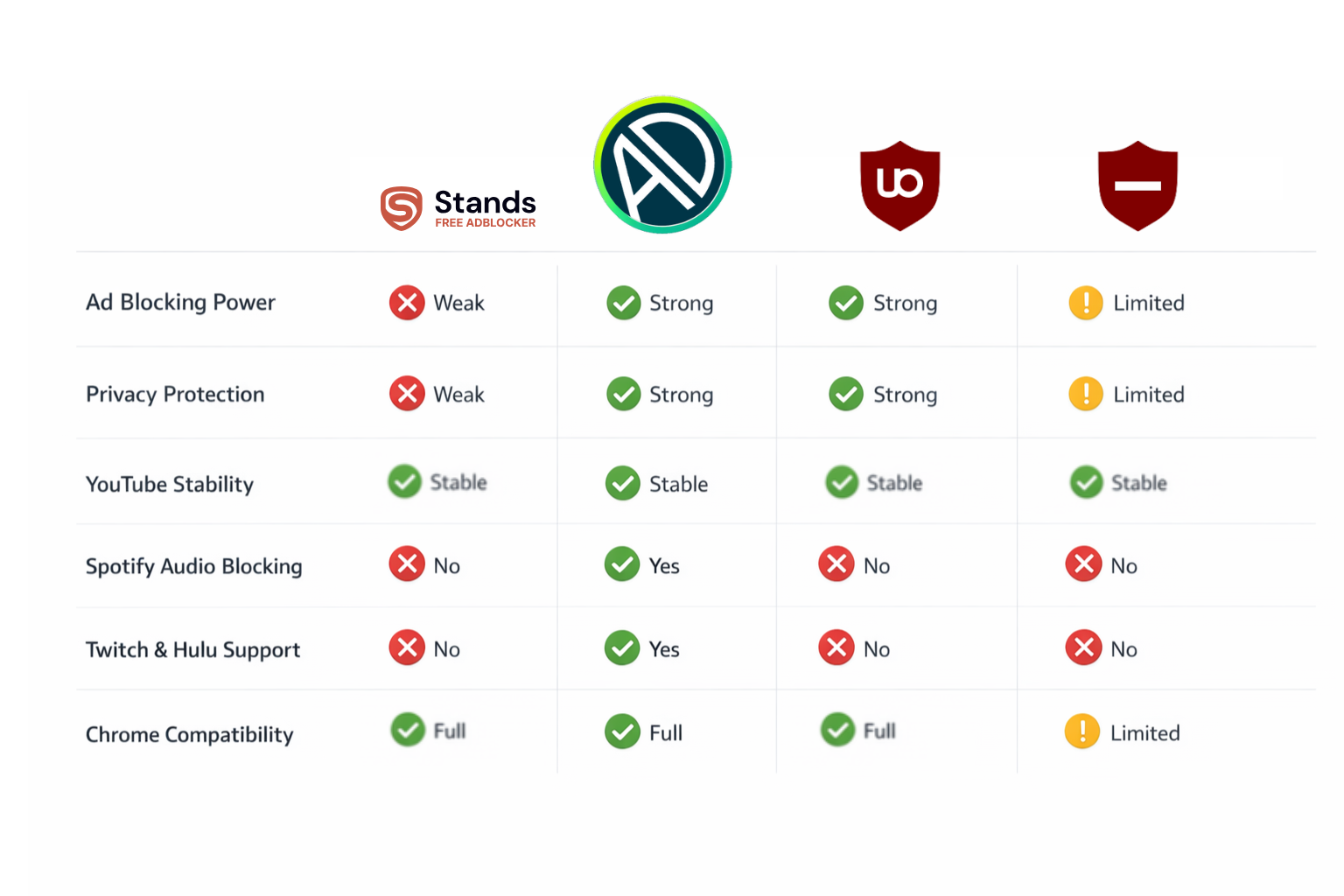
If you are a skimmer, here is the raw data on how these tools compare regarding stability and media blocking.
| Extension | AdBlock Score | YouTube Stability | Spotify/Audio Blocking | Engine Type |
|---|---|---|---|---|
| Stands Fair AdBlocker | 80/100 | Unstable (Loops) | No | MV3 (Restricted) |
| Blockify | 97/100 | Native/Clean | Yes (Audio/Video) | MV3 + Content Scripts |
| uBlock Origin (Firefox) | 100/100 | Perfect | No | MV2 (Full Power) |
| uBlock Origin Lite | 90/100 | Stable | No | MV3 (Compliant) |
How to "Exorcise" the Zombie (Migration Steps)
If you simply install a new blocker while Stands is still active, you will double your problems. The "refresh loop" scripts are often cached in your browser.
Follow this strict removal process:
- Hard Removal: Do not just "disable" the extension. Right-click the Stands icon and select Remove from Chrome. This forces the browser to unregister the background service workers.
- Cache Clear: This is essential. Go to
Settings > Privacy and security > Clear browsing data. Select "Cached images and files" only. This wipes the broken "loop" scripts stored on your drive. - Install Upgrade:
- For seamless video and audio streaming: Install Blockify.
- For general browsing compliance: Install uBOL.
Conclusion: The "Lite" Era is a Choice
The issues you are facing with Stands AdBlocker alternatives—the loops, the leaks, and the unblocked video ads—are not temporary bugs. They are the new standard for legacy extensions on Chrome.
You have three choices:
- Switch to Firefox if you demand 100% privacy protection.
- Switch to uBOL if you want a basic, stable Chrome experience.
- Upgrade to Blockify if your priority is uninterrupted entertainment on YouTube, Spotify, and Twitch.
Don't let broken code ruin your streaming. Upgrade your architecture today. Get Blockify for Chrome




Join the Discussion