

Poper Blocker used to be the hero. Now, it’s the villain.
Once the gold standard for stopping simple windows, Poper Blocker has failed to evolve with the modern web. Instead of just blocking overlays, it now blocks your system resources, causing lag and raising serious privacy concerns. If your browser feels heavy, or if you’re seeing “security warnings” that look suspiciously like ads, the call is coming from inside the house.
It is time to uninstall the legacy bloatware. This guide analyzes why the community is dropping Poper Blocker and provides a superior, 3-layer "Protection Stack" to keep your Chrome experience fast, private, and truly popup-free.
The "Scareware" Pivot: Why Users Are Leaving
The exodus from Poper Blocker isn't just about bugs; it is about betrayal. Long-time users are reporting that the tool has pivoted from a passive utility to an aggressive data engine.
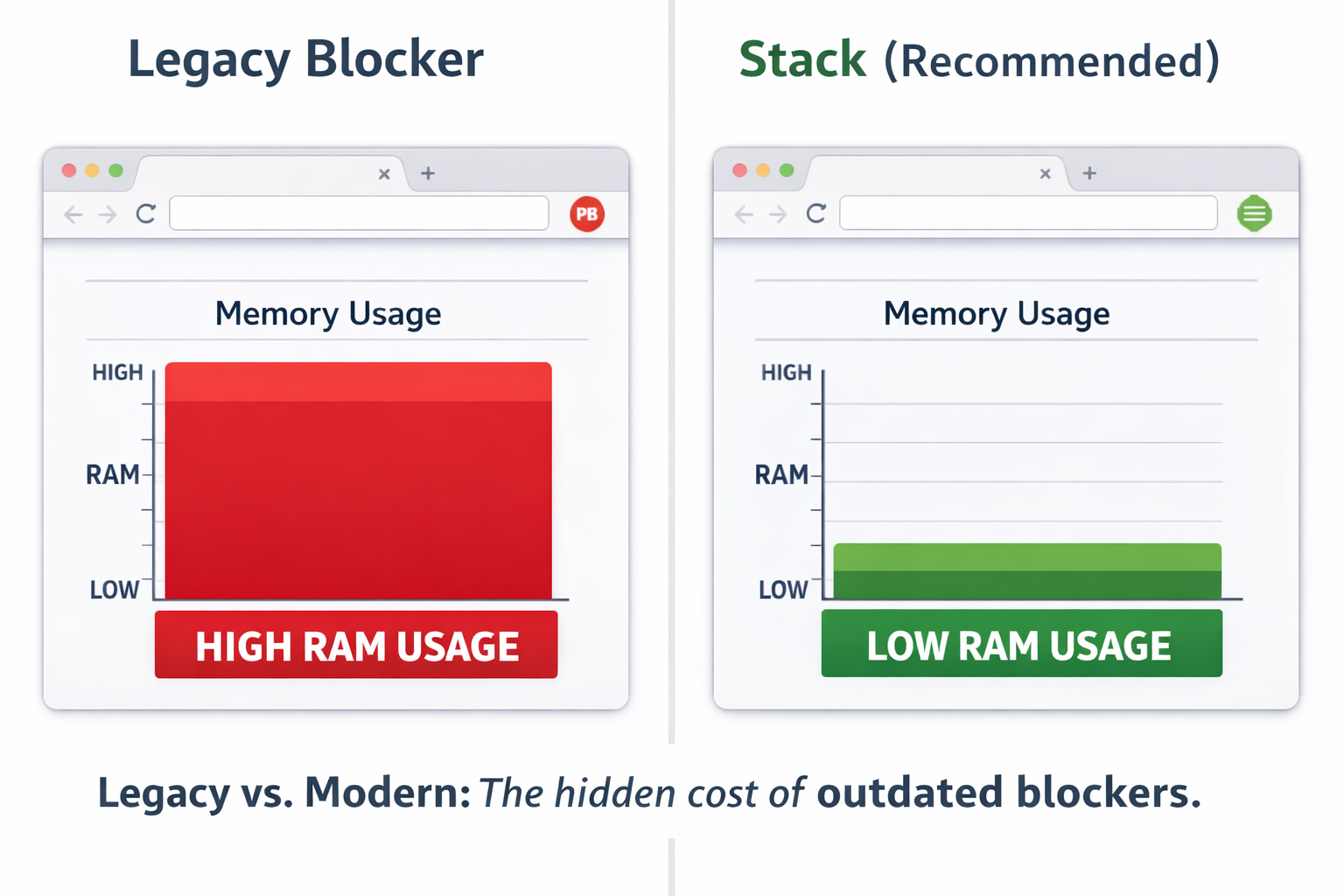
The Performance Penalty
Modern extensions should be invisible. Poper Blocker is not.
Because it relies on outdated code injection methods, it scans every single frame of a website. Benchmarks indicate legacy extensions can add significant latency to CPU time. Compared to modern "DOM-stripping" alternatives which operate with a negligible footprint, Poper Blocker effectively acts as a throttle on your CPU. If you are a power user with 20+ tabs, Poper is likely the reason your fan is spinning.
Privacy Red Flags
When you install a blocker, you grant it "Read and Change" access to your browsing data. That requires trust.
Critics and user reports allege that Poper Blocker’s behavior has shifted toward "scareware"—issuing ominous, vague warnings to justify its existence while collecting broad "clickstream data." See Privacy Policy.
Unlike open-source alternatives which are transparent, Poper’s proprietary "black box" code means you never truly know who is watching the watcher.
The Top 3 Poper Blocker Alternatives (The "New Standard" Stack)
What is the best alternative to Poper Blocker?
In 2026, no single extension handles every threat. The most effective solution is a Protection Stack—a combination of three lightweight tools that outperform Poper Blocker in every metric.
- uBlock Origin: The structural foundation for network scripts.
- Blockify: The specialist for streaming media (audio/video).
- PopUpOFF: The manual tool for removing sticky overlays.
1. uBlock Origin (The Foundation)
Best For: General Security & Network Filtering
uBlock Origin (uBO) renders Poper Blocker obsolete for 90% of users if you tweak one setting. While Poper waits for a popup to open before closing it, uBO blocks the script that commands the popup to open. It stops the threat at the network level.
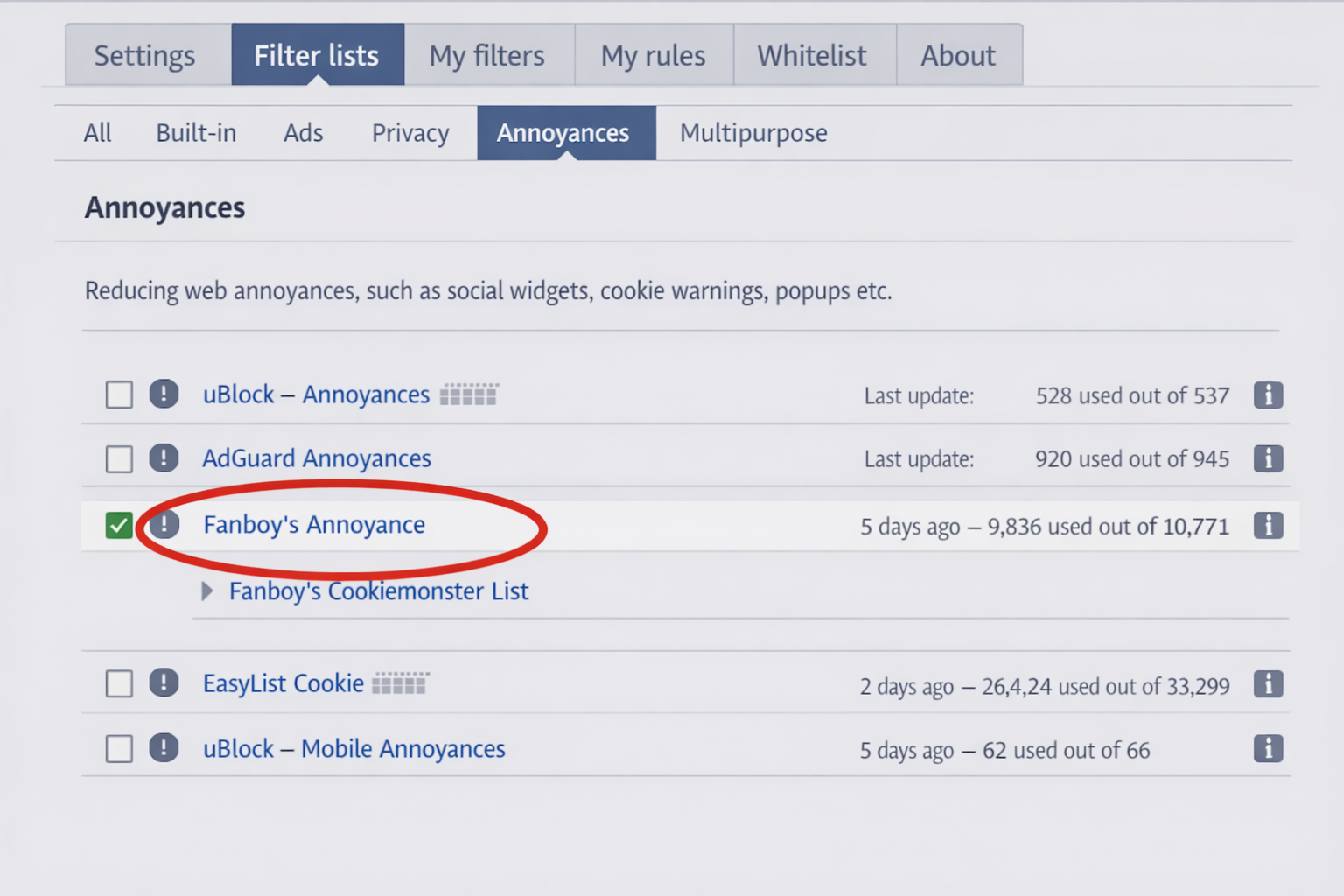
The "Secret" Configuration:
- Open uBlock Dashboard.
- Click Filter Lists.
- Check AdGuard Annoyances and Fanboy’s Annoyance.
This enables uBO to target the chat widgets, social prompts, and "soft" popups Poper often misses.
2. Blockify (The Media Guardian)
Best For: Spotify, YouTube, & Twitch
Poper Blocker works on windows, not streams. This is why you still hear audio ads on Spotify or see unskippable pre-rolls on YouTube even with Poper installed.
Blockify is the upgrade designed for the media-heavy web. It is engineered to silence and bypass the interruptions that standard blockers cannot see.
- Spotify: Mutes audio ads instantly so the music never stops.
- YouTube: Bypasses video ad injections.
- Twitch: Prevents stream-breaking interruptions.
If uBlock handles the page structure, Blockify guards your content. It is the essential second layer for the modern user.
3. PopUpOFF (The Overlay Destroyer)
Best For: Paywalls, Sign-in Walls, & Sticky Overlays
For the "Sign in to Read" or "We value your privacy" walls that freeze your screen, PopUpOFF provides the tactical solution.
Unlike Poper’s heuristic guessing, PopUpOFF gives you mechanical control. It strips overflow: hidden properties (which stop you from scrolling) and deletes the overlay elements entirely. It is the lightweight "sledgehammer" for stubborn sites.
Specialized Solutions for Specific Annoyances
Consent-O-Matic (The GDPR Automator)
Poper Blocker often breaks websites when trying to block cookie banners, leaving the site unusable.
Consent-O-Matic doesn't just block the banner; it answers it. It auto-fills your preferences (Reject All) and submits the form in milliseconds. This keeps the site functional and legally compliant without the visual clutter.
The Firefox Gap (Where did Poper go?)
Users searching for "Poper Blocker Firefox" will find a dead end. The extension is no longer available in the Mozilla Add-ons store, a move often associated with policy violations regarding data handling or code obfuscation. It was removed following reports of spyware-like behavior.
The Firefox Fix:
- Strict Popup Blocker: A highly-rated, open-source alternative that mimics Poper’s strictness without the bloat.
- Brave Browser: Use Brave’s native "Shields" to block scripts at the engine level—no extensions required.
Comparison: Poper Blocker vs. The 2026 Stack
| Feature | Poper Blocker | uBlock Origin | Blockify | PopUpOFF |
|---|---|---|---|---|
| Technology | Legacy Script Injection | Network Filtering | Media Injection | DOM Stripping |
| Performance | Heavy | Light | Light | Ultra-Light |
| Privacy | Closed Source (Risky) | Open Source | Safe | Open Source |
| Main Target | Window.open() | Scripts & Trackers | Audio/Video Ads | Sticky Overlays |
How to Migrate Properly (Step-by-Step)
Don't just disable Poper Blocker—remove the code entirely to stop the background drain.
- Uninstall: Right-click the Poper icon > Remove from Chrome.
- Secure: Install uBlock Origin and enable the "Annoyances" lists.
- Stream: Download Blockify to secure your Spotify and YouTube experience.
- Clean: Run a quick malware scan (using Malwarebytes or Windows Defender) if you were seeing "fake" warnings generated by Poper.
Frequently Asked Questions (FAQ)
Q: Is Poper Blocker safe to use in 2026?
A: Many privacy experts advise against it due to its closed-source nature and data collection policies ("clickstream data"). Open-source alternatives like uBlock Origin are considered safer.
Q: Does Chrome have a built-in popup blocker?
A: Yes. Chrome blocks standard popups by default. Third-party extensions are only needed for complex overlays and ads that bypass Chrome’s native filters.
Q: Why do I still get ads on YouTube with a popup blocker?
A: Standard popup blockers affect "windows," not video players. You need a specialized media blocker like Blockify to handle in-stream video and audio ads on platforms like YouTube and Spotify.
Conclusion: Stop Fighting the Last War
"Popups" as we knew them in 2010 are gone. Today, the enemy is the overlay, the tracker, and the unskippable video ad. Poper Blocker is fighting the last war—and it’s slowing down your computer while doing it.
Upgrade your defense. Switch to uBlock Origin for security, PopUpOFF for overlays, and Blockify for uninterrupted streaming.
Download Blockify Now and experience the web without the noise.




Join the Discussion