

The spinning wheel. The black screen that lasts 15 seconds. The "Ad blockers are not allowed" warning that locks your player.
If you are looking for an AdBlocker Ultimate alternative, it’s not because you want a prettier icon. It’s because your current blocker is failing. AdBlocker Ultimate (ABU) was once a decent option, but in 2026, it is effectively a "zombie" engine—a commercial fork of old code that can’t keep up with modern anti-adblock scripts.
You don't need a patch; you need a new engine. Here is how to fix your browser immediately.
⚡ Quick Verdict: The Best Replacements at a Glance
What are the best AdBlocker Ultimate alternatives?
For most users, uBlock Origin is the best general replacement due to its low memory usage and rapid updates. For users who specifically struggle with audio and video ads on streaming platforms, Blockify is the superior choice. For system-wide protection that covers apps beyond the browser, AdGuard is the industry standard.
| Product | Best Use Case | Core Advantage | Rating |
|---|---|---|---|
| uBlock Origin | General Browsing | Lowest memory usage; strictly for browser cleanup. | 5/5 |
| Blockify | Streaming Media | Specialized to bypass Audio & Video ads on Spotify, Twitch, Hulu, and YouTube. | 5/5 |
| AdGuard | System-Wide | The actively maintained engine that ABU originally copied. | 4.5/5 |
Jump straight to the deep dive reviews below
The "Zombie Code" Revelation: Why Drop AdBlocker Ultimate?
To understand why your adblocker ultimate extension is lagging, you have to look under the hood.
AdBlocker Ultimate is widely recognized in the development community as a "fork" of an older version of AdGuard’s open-source extension verified in their own GitHub documentation.
Why this hurts your browsing:
- Stagnation: You are effectively using a snapshot of an ad-blocking engine from years ago.
- Detection Failure: Modern sites—especially YouTube and Twitch—use server-side injection and anti-circumvention scripts. A "zombie" engine cannot adapt fast enough, leading to the dreaded "Ad blockers are not allowed" pop-ups.
- Memory Bloat: Without the optimization updates found in newer engines, ABU consumes significantly more RAM than necessary.
You aren't using a premium tool; you are using an abandoned engine with a marketing budget.
The Top 3 AdBlocker Ultimate Alternatives (Ranked)
We tested these engines against the current adblocker ultimate Chrome and Firefox builds. Here are the three that actually work.
1. uBlock Origin (The Efficiency King)
Best For: Users who want a lightweight browser and zero setup.
The Hook:
If ABU is making your laptop fan spin and your RAM spike, uBlock Origin (uBO) is the cure. It is arguably the most efficient piece of blocking software ever written.
Why it beats ABU:
uBlock Origin is not just an “ad blocker”; it is a wide-spectrum content blocker designed for efficiency. Independent testing and developer benchmarks consistently show that uBO uses significantly less memory and CPU than AdBlocker Ultimate, making it one of the lightest and fastest blockers available.
- The "Black Screen" Fix: uBO’s community maintains rapid-response scriptlets. When YouTube updates its code, uBO usually has a workaround within hours.
- Caveat: Google’s move to Manifest V3 (MV3) will limit uBO’s power on Chrome. For the full experience, use uBO on Firefox.
Verdict: The Gold Standard for general web browsing.
2. Blockify (The Streaming Specialist)
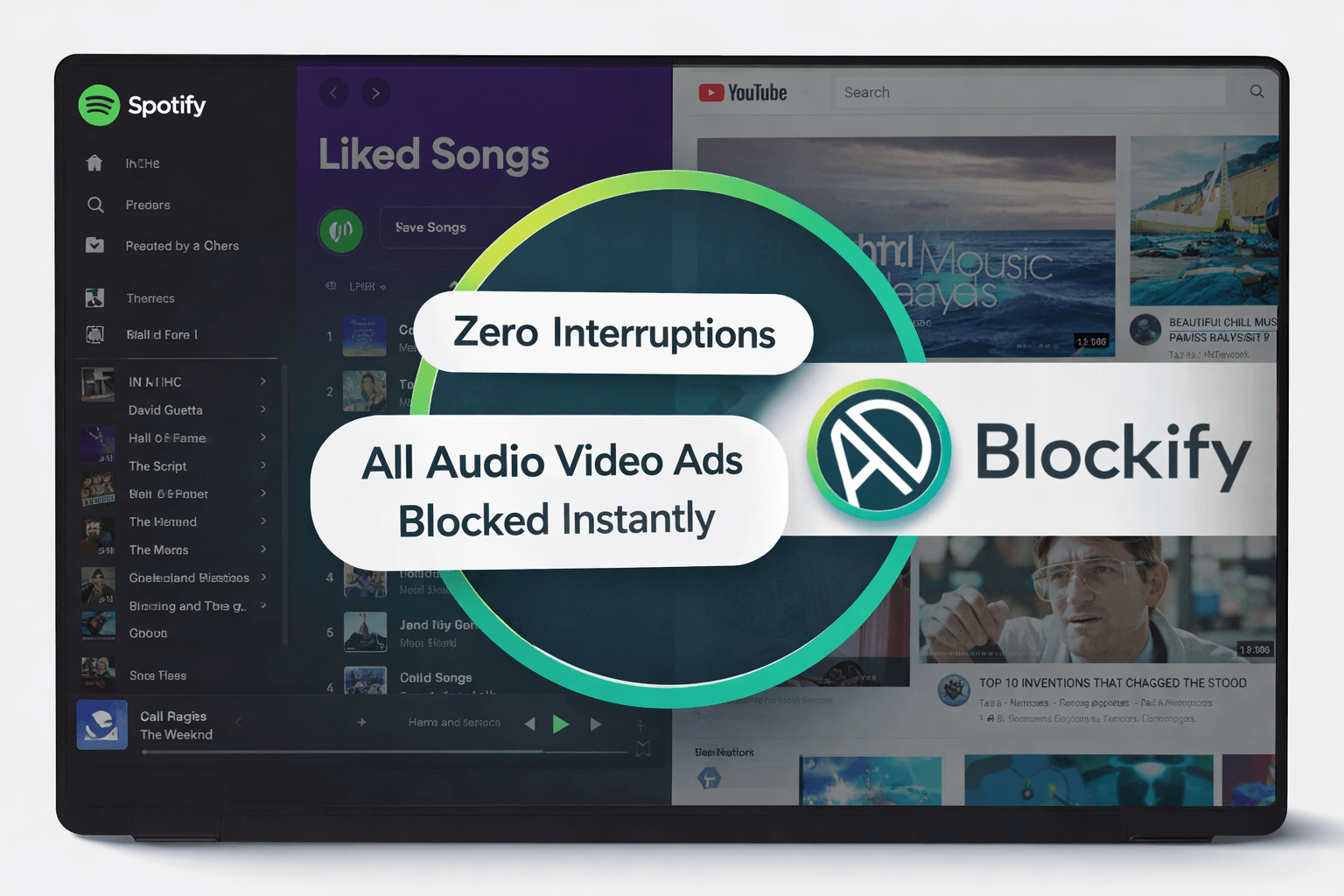
Best For: Heavy users of Spotify, Twitch, YouTube, and Hulu.
The Hook:
Most ad blockers are designed for visual ads (banners, pop-ups). They fail miserably when ads are embedded into the media stream itself—like the audio ads that interrupt your Spotify playlist or the mid-roll ads on Twitch. Blockify is engineered specifically to attack these streams.
Why it beats ABU:
AdBlocker Ultimate struggles with "mixed media" ads. It often hides the visual component but leaves you staring at a black screen while the audio plays. Blockify acts as a specialized adblocker ultimate alternative that targets the streaming APIs directly.
- Spotify: It mutes and skips audio ads seamlessly. No more interruptions between songs.
- Twitch: It handles the complex "purple screen of death" (mixed-stream ads) that plagues standard blockers.
- YouTube: It prevents the video player from locking up, ensuring continuous playback.
- Hulu: It bypasses server-side injected ads that traditional blockers cannot touch, keeping episodes playing without forced commercial breaks.
If your primary frustration is interruptions during music or video streaming, generic blockers won't cut it. You need a specialist.
Get uninterrupted streaming with Blockify for Chrome
3. AdGuard (The "Original Source")
Best For: Users who want system-wide protection (Apps + Browser).
The Hook:
If you liked the interface of AdBlocker Ultimate but want the engine to actually work, go to the source. AdGuard is the active project that ABU was originally forked from.
Why it beats ABU:
This is the "maintained" version of the code. AdGuard offers a standalone application (Windows/Mac) that filters traffic before it hits your browser. This means it can block ads in other apps, like Zoom, Torrent clients, and many desktop applications—something a simple browser extension cannot do.
Verdict: The heavy-duty option for total OS cleaning.
⚠️ Critical Safety Warning: Do Not Download "Wave Browser"
Stop. Before you hunt for software, read this.
When searching for "AdBlocker Ultimate alternatives," aggregation sites often recommend Wave Browser.
Do not install Wave Browser.
Security experts classify Wave Browser as a Potentially Unwanted Program (PUP) and a browser hijacker. It aggressively takes over your default search engine, modifies registry keys, and resists uninstallation. It is not a safety tool; it is a data-harvesting trap masquerading as a privacy browser.
Related search safety: If you are asking "is adblocker ultimate safe?", the answer is "Yes, but outdated." If you ask "Is Wave Browser safe," the answer is a hard No.
The "Black Screen" Problem: Why ABU Fails on YouTube
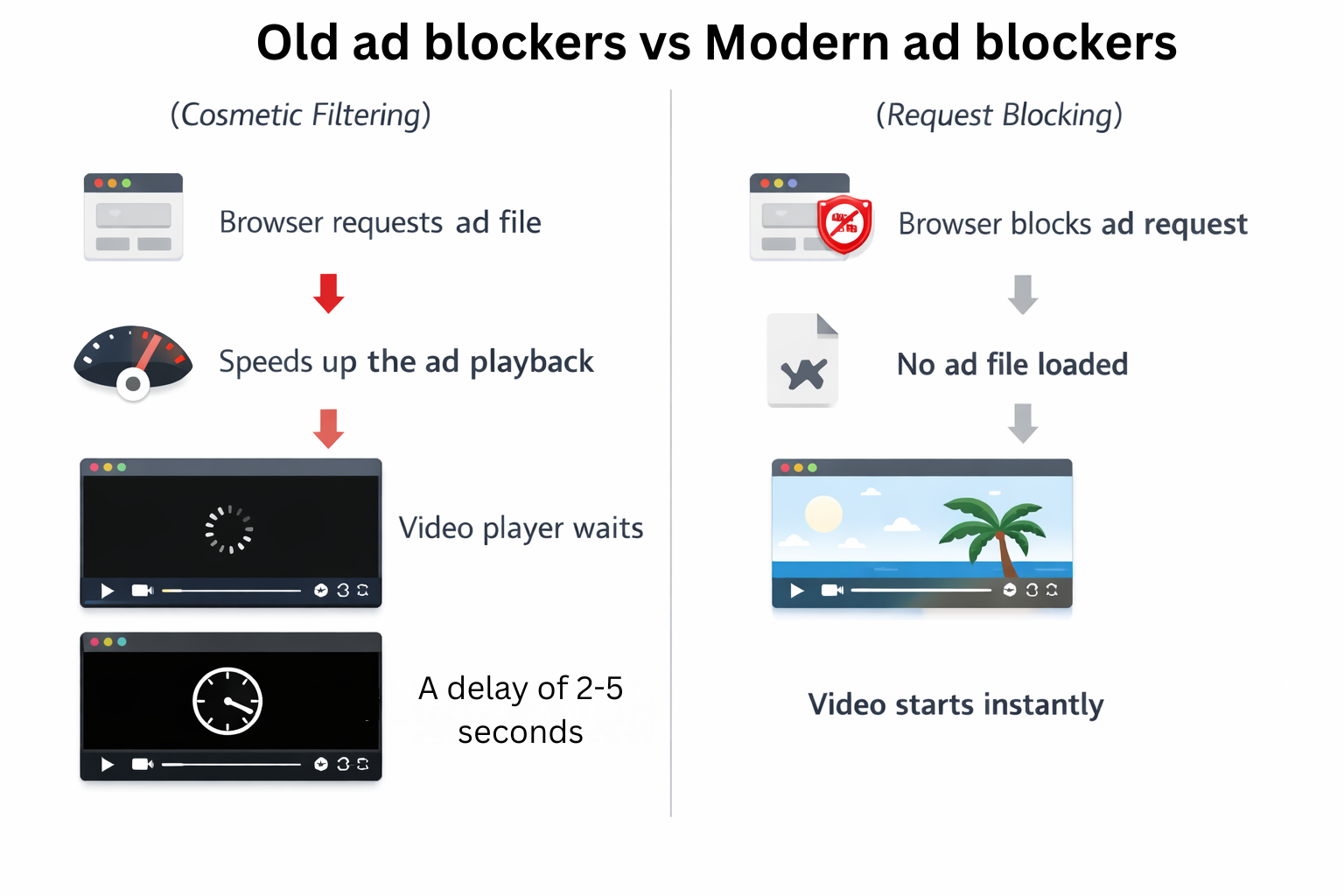
The number one complaint from adblocker ultimate Firefox and Chrome users is the "Black Screen." You click a video, the ad doesn't show, but the screen stays black for 15 seconds.
Why this happens:
ABU relies heavily on Cosmetic Filtering. It hides the "container" where the ad lives, but it fails to stop the browser from requesting the ad file. The video player waits for the ad to finish playing (even though you can't see it) before starting your video.
The Solution:
Modern alternatives like uBlock Origin and Blockify use Request Blocking. They tell the browser, "Do not even ask for the ad file." The player detects no ad and skips immediately to the content.
Comparison Matrix: ABU vs. The Field
See exactly what you gain by switching. Note how Blockify fills the specific gap regarding audio/streaming ads.
| Feature | AdBlocker Ultimate | uBlock Origin | Blockify |
|---|---|---|---|
| CPU/RAM Impact | High (Unoptimized) | Low | Low |
| Spotify Audio Ads | ❌ No | ❌ No | ✅ Yes (Native) |
| Twitch Streams | ⚠️ Partial | ⚠️ Script Required | ✅ Yes |
| YouTube Success | Low (Black Screens) | High | High |
| Engine Type | MV3 | MV2 (Full Power) | MV3 + Content Scripts |
FAQs: Replacing AdBlocker Ultimate
Is AdBlocker Ultimate safe to use?
It is generally safe from malware (it won't infect your computer like Wave Browser). However, because it relies on older code ("abandonware" in spirit), it lacks the security patches and efficiency of actively maintained projects. It is "safe" but obsolete.
Does AdBlocker Ultimate work on Twitch?
Rarely. Twitch uses server-side injection which stitches the ad directly into the video feed. ABU cannot distinguish between the feed and the ad. You need a specialized blocker like Blockify which is built to detect these stream shifts.
How do I remove AdBlocker Ultimate completely?
- Chrome: Right-click the icon > "Remove from Chrome."
- Firefox: Menu > Add-ons > Extensions > Remove.
- Cleanup: After removal, clear your browser cache (CTRL+SHIFT+DEL) to remove any residual filtering rules that might conflict with your new blocker.
Conclusion: Which Upgrade Path is Right for You?
You don't need to tolerate black screens or high memory usage. AdBlocker Ultimate had its time, but relying on forked code in 2026 is a recipe for frustration.
- For Efficiency: If you want a "Set and Forget" browser cleaner that uses almost no RAM, install uBlock Origin.
- For System Control: If you want to clean your entire operating system (including apps), get AdGuard.
- For Media Streaming: If you live on Spotify, Twitch, Hulu, and YouTube, generic blockers will fail you. You need Blockify.
Don't let audio ads ruin your workflow or black screens kill your video binge.
Stop staring at black screens. Upgrade your blocking engine today.
Check out Blockify for a seamless streaming experience



Join the Discussion